Guide
The Role of Technology in Modern Construction Compliance
Compliance has shifted from paperwork at the end to evidence captured as you build. A look at the tools changing how sites meet Part L and the regulations around it.
Read articleAutoBREL is a photographic evidence app built for one job: the BREL report images Part L demands. Every photo time-stamped, geo-tagged and tied to the right plot — no shared drives, no WhatsApp groups, no chasing.
14-day free trial — no card details required.
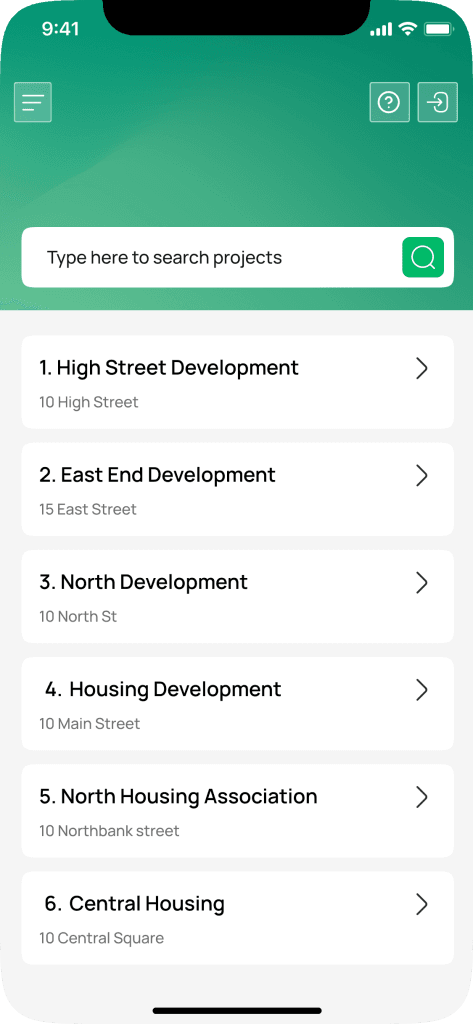
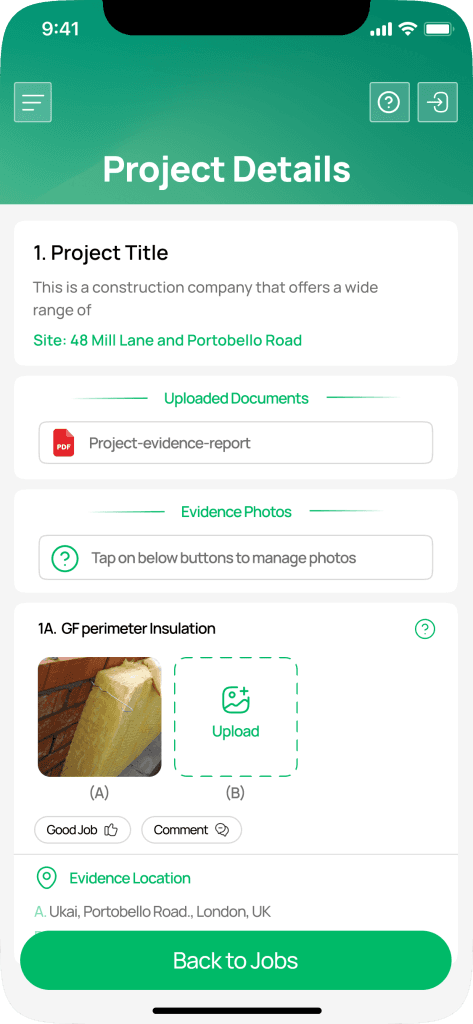
Part L of the Building Regulations made photographic evidence mandatory, and most sites are meeting that requirement with tools never designed for it — camera rolls, WhatsApp threads, a shared drive nobody owns.
AutoBREL is built exclusively for the BREL photographic requirement. It automates time-stamping and geo-tagging so each image meets the standard without anyone thinking about it, cuts out manual data entry, and leaves you with one centralised digital archive instead of six places to look.
The requirement is specific. The tools most sites use for it are not.
Before
Evidence scattered across six places
After
One process, one archive, one source of truth
Free on the App Store and Google Play. No training day, no desktop install.
Each photo is tagged with a time-stamp and geo-location at the moment of capture, so every image meets Part L standards with no manual input.
Set up projects and assign them to onsite teams instantly. Teams get immediate access to project details, checklists and requirements.
Each plot carries its own list of required details, so the site team can see exactly what is captured and what is still outstanding.
Set up each housetype with its own required details and image types, and a sample photograph on each, so the site team sees exactly what is being asked for before they take the shot.
Check images from the dashboard and approve them or send them back with comments, so you get the evidence you actually need.
Every image, every approval and every comment is recorded, giving you the reports needed to evidence compliance.
Accounts are protected with one-time passcodes and authenticator app sign-in, so you can hold access to the level of security your clients ask for.
Create as many projects and capture as many images as you need, all stored securely in the cloud.
Available on the Apple App Store and Google Play Store. Free for the clients and site users you set up.
Fully online with no desktop install. Manage and review compliance documentation from any device.
Set up the site, the plots and the clients from the web dashboard, and choose which details each plot needs photographed.
Team members are assigned automatically and log in to the free app. You choose who gets access to which projects.
The app walks the site team through the checklist, geo-tagging and time-stamping each image as it is taken.
Approve images or send them back with comments. Approved evidence lands in a secure, organised archive ready for your SAP assessor.
Part L photographic evidence touches the whole delivery chain. AutoBREL gives each of them the same view.
A general photo app does not know what Part L asks for. AutoBREL does — which is why the evidence comes out right without anyone policing it.
14-day free trial — no card details required.
Practical guides to the regulations, the evidence and who is responsible for what.
Compliance has shifted from paperwork at the end to evidence captured as you build. A look at the tools changing how sites meet Part L and the regulations around it.
Read article
Beyond Part L compliance, a good photographic record protects against disputes, improves quality control and gives you a defensible account of what was built.
Read article
Most sites collect Part L photographic evidence through WhatsApp groups, email chains and a shared drive. Here is what that costs, and what changes when the tool is built for the requirement.
Read articlePart L compliance requires specific images taken at key construction stages: insulation at foundation edges and ground floor perimeters, external door thresholds, floor-to-wall junctions, structural penetrations through external walls, roof edges and eaves, window and door positioning within the reveal, airtightness details, and labelled building services. One photograph per unique construction detail, per plot, with close-ups where a detail needs clarity.
The photographs can be taken by anyone working on site, though ideally by a named responsible person. The developer signs the as-built BREL report, and the images are passed to the SAP assessor for review. They are required for sign-off, but building control does not take them. AutoBREL lets you assign a project to whoever is on site and keeps a record of who captured what, and when.
Yes. Photographs should be geolocated and carry a date and time stamp so the evidence can be tied to the right plot at the right stage of construction. AutoBREL applies both automatically at the point of capture, so there is nothing for the site team to remember and nothing to add afterwards.
It replaces shared drives, WhatsApp groups and email chains with one process. Images are captured against a per-plot checklist, time-stamped and geo-tagged automatically, then reviewed, approved or rejected with comments from the dashboard. The result is a secure, centralised archive that is easy to organise, access and hand to your SAP assessor.
Set a project up in the dashboard and team members are assigned automatically. They get immediate access to the project requirements, the checklist and the image capture tools, so compliance is covered from the first pour to handover.
All images captured through AutoBREL are stored securely in the cloud. Your compliance documentation is backed up, organised and accessible from anywhere, which removes the risk of losing evidence with a lost phone or a wiped laptop.
No. You can capture as many images as you need and create unlimited projects, so meeting the requirement is never a question of allowance.
No. AutoBREL is a fully online solution accessible through any browser. The capture app is available free on the Apple App Store and Google Play Store for use on site.
No. AutoBREL is free for the clients you set up. They can access project images and documentation at no additional cost.
Fourteen days, your own site, no card details. Set up a project and see the evidence come back organised.